Free vs Paid SaaS Management Tools Compared
Aryan Malik · September 14, 2026
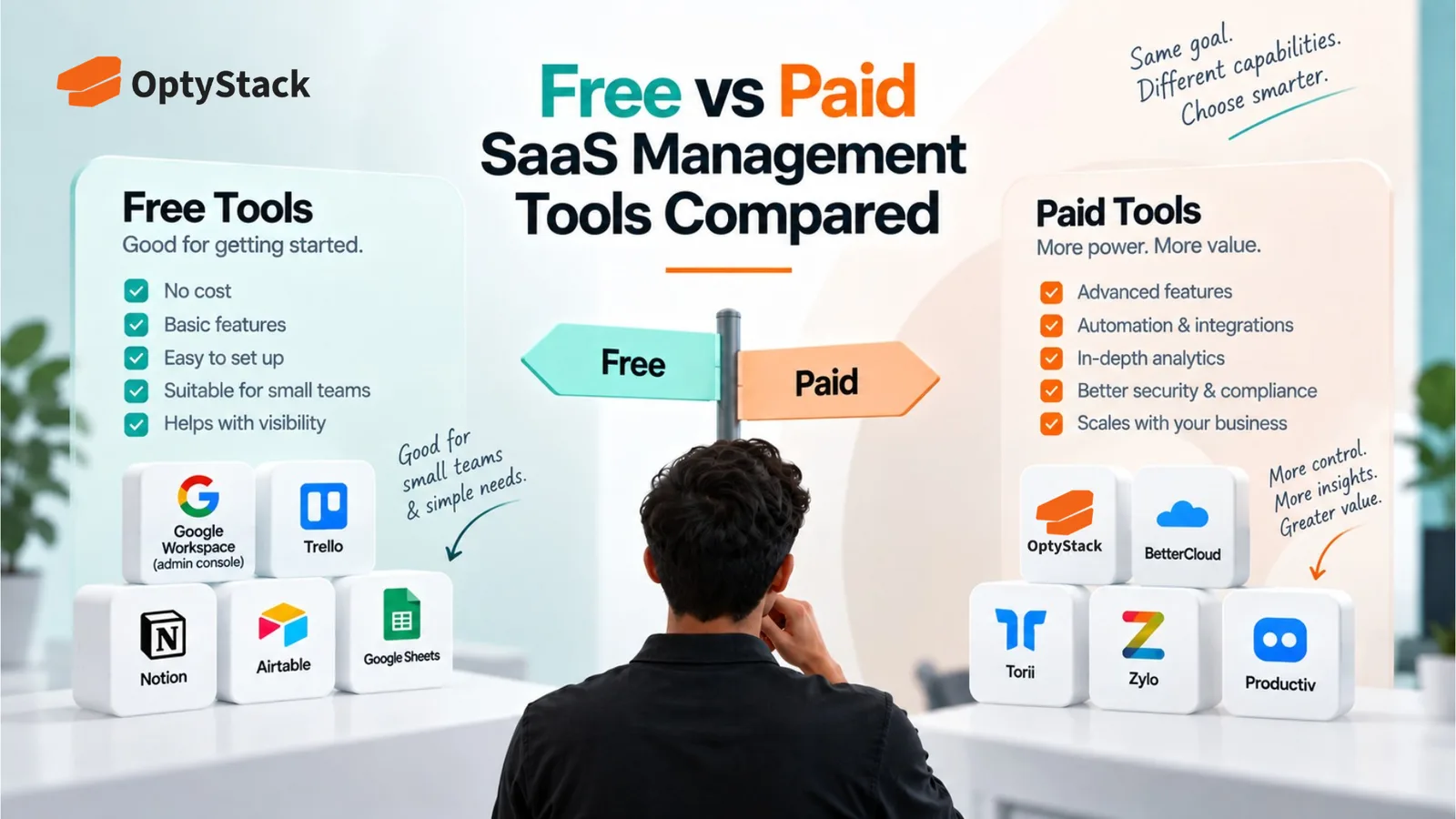
Native admin consoles and free tiers can show you which apps are connected, but rarely show spend, ongoing risk, or renewal dates. Here's what free SaaS management tools actually cover, where the gaps show up, and how to know when a paid plan is worth it.
Every major SaaS company already gives you some visibility into your software stack for free. Google Workspace and Microsoft 365 both show which third-party apps have been authorized to access company data, and some SaaS management platforms, including OptyStack, offer a free tier that covers basic discovery without a credit card. The real question isn't whether free options exist. It's what they actually cover, and at what point the gaps in that coverage start costing more than a paid plan would.
Quick comparison
Capability | Free/native approach | Paid SaaS management platform |
|---|---|---|
Basic app discovery | Yes | Yes |
OAuth/app authorization visibility | Yes | Yes |
Centralized SaaS inventory | Limited | Yes |
Spend visibility | Limited/manual | Yes |
Usage and license analysis | Limited | Yes |
Renewal tracking | Manual | Yes |
Shadow IT discovery | Partial | Broader |
Ongoing monitoring | Manual | Automated/continuous |
Reporting | Basic/manual | Centralized |
This reflects general category behavior rather than every individual product. Specific tools vary, and some free options cover more than others.
What free options actually give you
Native admin consoles show authorization, not spend or ongoing risk. The Google Workspace and Microsoft 365 admin consoles let you see which third-party apps have been granted OAuth access to company data, and you can restrict or revoke that access manually. What they don't do is show you what any of those tools actually cost, whether a connection is still being used, or how risky a given app's permissions are relative to another. The console tells you an app was authorized. It doesn't tell you whether that authorization is still a good idea.
Spreadsheet tracking works until the estate outgrows it. A manually maintained inventory, updated by whoever remembers to update it, is a genuinely free option and a reasonable starting point for a small stack. It also depends entirely on someone reliably capturing every new tool as it gets adopted, which tends to become harder to sustain as the number of applications and departments grows.
Freemium tiers of dedicated platforms cover basic discovery, with real limits. OptyStack's own free plan, for example, includes unlimited app discovery but caps the number of integrated data sources at three, with fuller shadow IT and shadow AI discovery, unlimited integrations, and renewal tracking reserved for the paid tier. That's a common pattern in this category: enough to see that you have a problem, not always enough to fully solve it.
Browser extensions and lightweight discovery tools catch some shadow IT, not all of it. Browser-based discovery tools can identify applications accessed through monitored browser activity, but that visibility may not cover mobile apps, other devices, or integrations that don't generate browser activity at all.
Where the gaps actually show up
Spend and usage rarely live anywhere near the discovery data. Knowing an app is authorized is different from knowing what it costs, how many seats are paid for versus actively used, or whether the company is quietly overpaying for a tier nobody needs. Free discovery tools are generally built to answer "what's connected," not "what are we spending and is it justified."
Unifying multiple data sources into one inventory is where free tools consistently stop short. Google Workspace shows Google-side connections. Microsoft 365 shows its own. Neither shows what's happening in the other, or in tools that sit outside both ecosystems entirely, on a personal card or a standalone SaaS subscription with its own login. A free approach generally means checking each source separately and reconciling the results yourself.
Ongoing monitoring tends to require more than a one-time check. A native console shows current state when you look at it. New OAuth grants and new subscriptions appear constantly, and without a recurring, automated review, the picture you built last month is already incomplete.
Renewal tracking and contract management aren't something free discovery tools are built for. Knowing an app exists is a different problem than knowing when its contract needs a decision, and free tiers of dedicated platforms typically hold this capability back for a paid plan specifically because it requires ongoing data connections rather than a point-in-time scan.
When free is genuinely enough
A small company running a modest, well-known set of tools, with someone actively keeping a manual list current, can reasonably operate on free tools alone for a while. The same is true for a company early in figuring out whether it even has a meaningful shadow IT or spend visibility problem, where a free discovery pass is a sensible first step before committing to anything paid.
When the gaps start costing more than a paid plan would
As the estate grows into dozens of applications, manual reconciliation becomes harder to maintain consistently. The time spent checking multiple admin consoles, cross-referencing a spreadsheet, and catching what fell through the cracks can eventually exceed what a paid plan would cost to automate.
Once renewals and contract value become material, tracking them manually gets expensive to get wrong. A single missed notice deadline on even one mid-sized contract can cost more than a year of a paid plan, which changes the actual cost comparison considerably.
For SOC 2 and similar assurance work, teams may need consistent evidence that relevant access controls and vendor-management processes are operating as designed. Ad hoc tracking can make that evidence harder to produce reliably, since the exact evidence required depends on which controls are actually being tested.
How to decide
Start with a free discovery pass, whether that's your native admin console, a manual inventory, or a freemium tier, and use it to actually see the size of the problem before assuming you need a paid platform. If that pass turns up a handful of tools and a small, well-understood spend, a lightweight free process may genuinely be enough for now. If it turns up dozens of unreconciled connections, unclear spend, and renewal dates nobody's tracking, that's a sign the manual approach has already stopped scaling.
Where OptyStack fits
OptyStack gives you a free starting point with unlimited app discovery and up to three integrations. When you need broader coverage, its Pro plan adds unlimited integrations and additional capabilities such as renewal tracking and license reclamation.
That makes it possible to start with discovery for free and move to broader SaaS management when the size and complexity of the stack justify it.
See what's in your stack for free, no credit card required. Start with OptyStack.