Microsoft Entra MemberOf Retirement: What IT Teams Must Fix Before November 3
Nitish Sharma · October 26, 2026
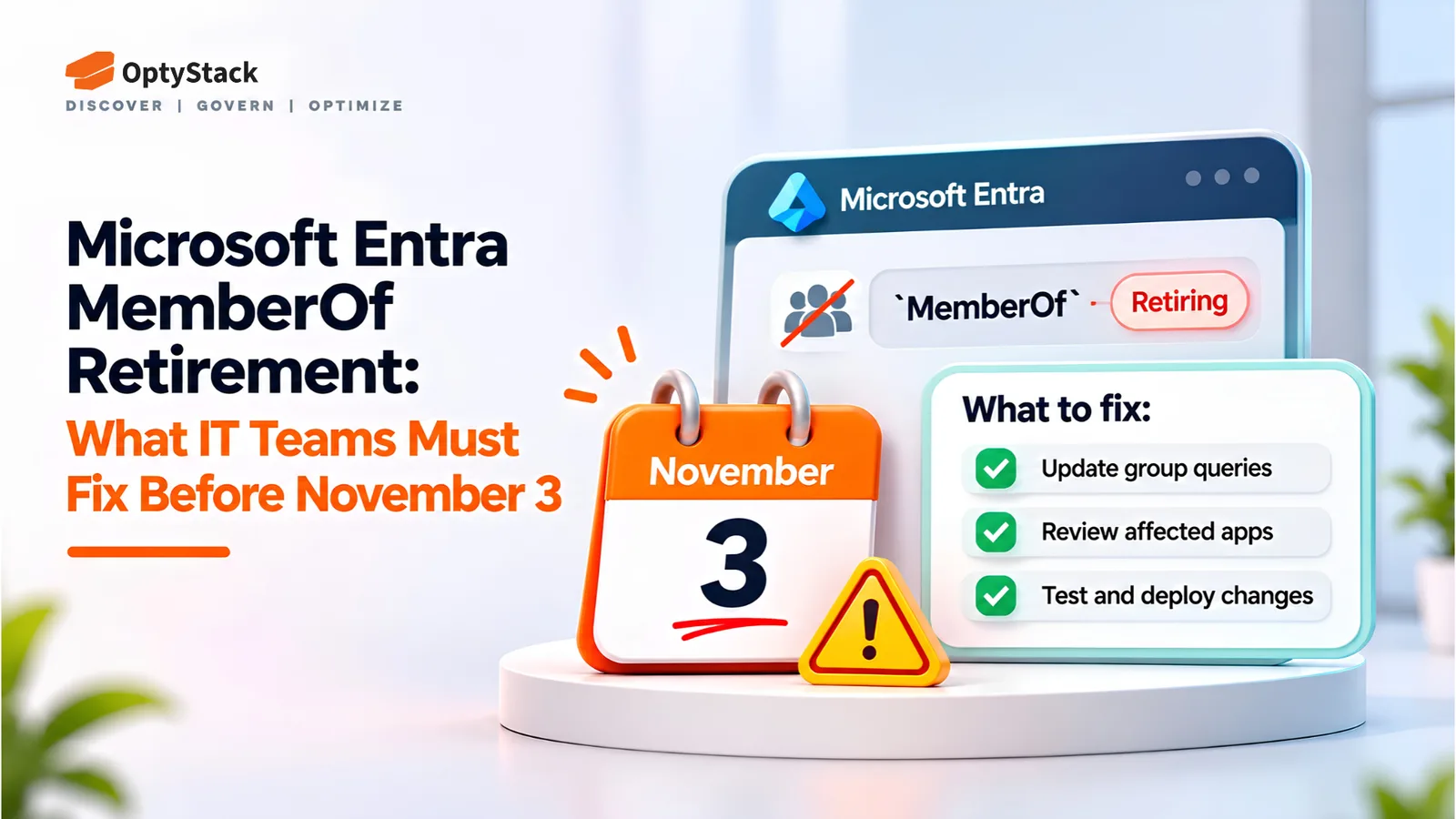
Microsoft Entra is ending the preview of the MemberOf rule operator on November 3, 2026. Learn which configurations are affected, how to find them, and what to replace them with before group membership and access assignments stop updating.
Microsoft Entra ID uses dynamic rules to determine who belongs to a group. These rules can evaluate user attributes, such as department or location, and add or remove members automatically. The MemberOf rule operator takes a different approach: it lets a dynamic group include members of other groups.
Microsoft is ending the public preview of this operator on November 3, 2026. After that date, configurations that still use MemberOf will stop updating and remain in their last known state. This can leave access outdated, prevent new users from receiving the right permissions, or cause licensing assignments to fall out of sync.
If your organization uses Microsoft Entra dynamic groups, administrative units, or entitlement management auto-assignment policies, now is the time to identify affected configurations and migrate them.
What Happens After November 3?
Microsoft's official migration guidance identifies three areas affected by the retirement.
Dynamic membership groups: Membership stops updating, potentially leaving users with access they should have lost or preventing new members from receiving access.
Dynamic administrative units: Membership and administrative scope can become outdated, affecting how administrative permissions are scoped.
Entitlement management auto-assignment policies: Policies using MemberOf are quarantined, and assignment processing stops. No assignments are added or removed until the rule is corrected.
These changes can affect downstream systems and policies:
Conditional Access: Policies targeting affected groups may no longer reflect current membership.
Group-based licensing: Licenses may remain assigned to users who no longer qualify, or fail to reach new members.
Microsoft Teams and SharePoint: Access controlled through affected group memberships may become outdated.
Access packages: Entitlement assignments may no longer be added or removed as intended.
The severity depends on how each group is used. A group controlling access to a sensitive finance application presents a different risk from one used for a noncritical license. Review affected configurations according to their business and security impact.
How to Find Affected Configurations
Start by checking all three areas where the MemberOf operator can be used.
1. Dynamic Membership Groups
In the Microsoft Entra admin center, navigate to Entra ID → Groups → All groups. Export your dynamic membership groups and inspect their membership rules for MemberOf.
Microsoft notes that the standard rule builder and validation feature do not support this operator, so inspect the rule syntax directly.
2. Dynamic Administrative Units
Use Microsoft Graph PowerShell to identify dynamic administrative units whose membership rules contain MemberOf. Microsoft's dynamic administrative units documentation provides additional guidance.
3. Entitlement Management Auto-Assignment Policies
Use Microsoft Graph PowerShell to identify automatic access package assignment policies whose membership rules contain MemberOf. Follow Microsoft's automatic assignment policy guidance to find affected policies and plan their migration.
After identifying the configurations, map their dependencies. Check which Conditional Access policies target each group, which applications rely on its membership, which licenses it controls, and which Teams, SharePoint resources, or access packages depend on it.
A simple spreadsheet with one row per affected configuration can help. Record its owner, purpose, dependencies, risk level, replacement plan, and validation status.
What Should You Replace MemberOf With?
The appropriate replacement depends on how the existing configuration determines membership or assigns access.
Use Supported Attribute-Based Rules
Where possible, replace MemberOf with supported membership rules based on attributes such as department, job title, or location. This works when those attributes accurately represent the intended membership criteria.
Review Microsoft's supported dynamic membership rules before designing a replacement. Not every group-membership scenario can be recreated using user or device attributes.
Convert Dynamic Groups to Assigned Membership
If a supported dynamic rule cannot reproduce the required logic, consider converting the group to assigned membership. An administrator or automation script must then add and remove members explicitly.
This approach requires ongoing ownership and maintenance. Establish a process to review membership regularly and ensure that changes in employment, role, or access requirements are reflected promptly.
For dynamic administrative units, Microsoft also documents conversion to assigned membership. Validate both the resulting membership and the administrative scope after migration.
Plan an Alternative for Access Packages
For entitlement management auto-assignment policies, replace MemberOf with supported attribute-based operators where possible. If no equivalent rule covers the scenario, plan an alternative assignment method before removing the existing policy.
Validate access package assignments after migration so that legitimate access is retained and inappropriate access is removed.
Finally, review whether any affected groups or policies are no longer needed. Remove redundant configurations only after their dependencies have been migrated.
Pre-Deadline Checklist
Use this checklist to track remediation before November 3, 2026.
Audit every MemberOf rule. Include dynamic groups, dynamic administrative units, and entitlement management auto-assignment policies.
Map dependencies. Identify Conditional Access policies, licensing assignments, application access, and access packages that rely on affected groups.
Prioritize by risk. Start with privileged access, sensitive applications, and groups enforcing important security controls.
Replace or convert configurations. Use supported rules, assigned membership, or an alternative access package assignment method as appropriate.
Validate membership and access. Confirm the expected members, test relevant sign-in and access scenarios, and verify licensing and access package assignments.
Document remediation. Record changes, owners, approvals, and test results, then confirm completion before the deadline.
Allow time for membership processing and testing, especially in large tenants. Do not assume a rule change is successful simply because it saves in the admin portal.
From Stale Membership to Access Drift
Stale group membership is more than a configuration issue. It creates an access governance problem when the permissions assigned to a user no longer match their role or current requirements.
When membership stops updating, access that should have been removed can remain in place, while legitimate access may never be granted. These gaps become harder to manage when permissions span multiple SaaS applications, identity systems, and licensing arrangements.
Preventing access drift requires ongoing visibility into who can access each application, which groups control that access, and whether permissions still match business needs.
OptyStack's identity management and zero-trust page describes its approach to connecting identity providers with SaaS applications and applying sign-in conditions. Reviewing SaaS access and identity dependencies alongside your Entra group remediation can help keep access governance aligned with organizational requirements.
Final Takeaway
Microsoft Entra's MemberOf retirement is a deadline-driven migration task, but it is also an opportunity to review the access policies and group memberships your organization depends on.
Identify affected configurations, choose a supported replacement, and validate the resulting access before November 3, 2026. Addressing the change in advance helps reduce stale permissions, licensing discrepancies, and gaps in access enforcement.