How to Cut SaaS Spend Before Year-End: A Practical Cost Reduction Checklist
Aryan Malik · October 13, 2026
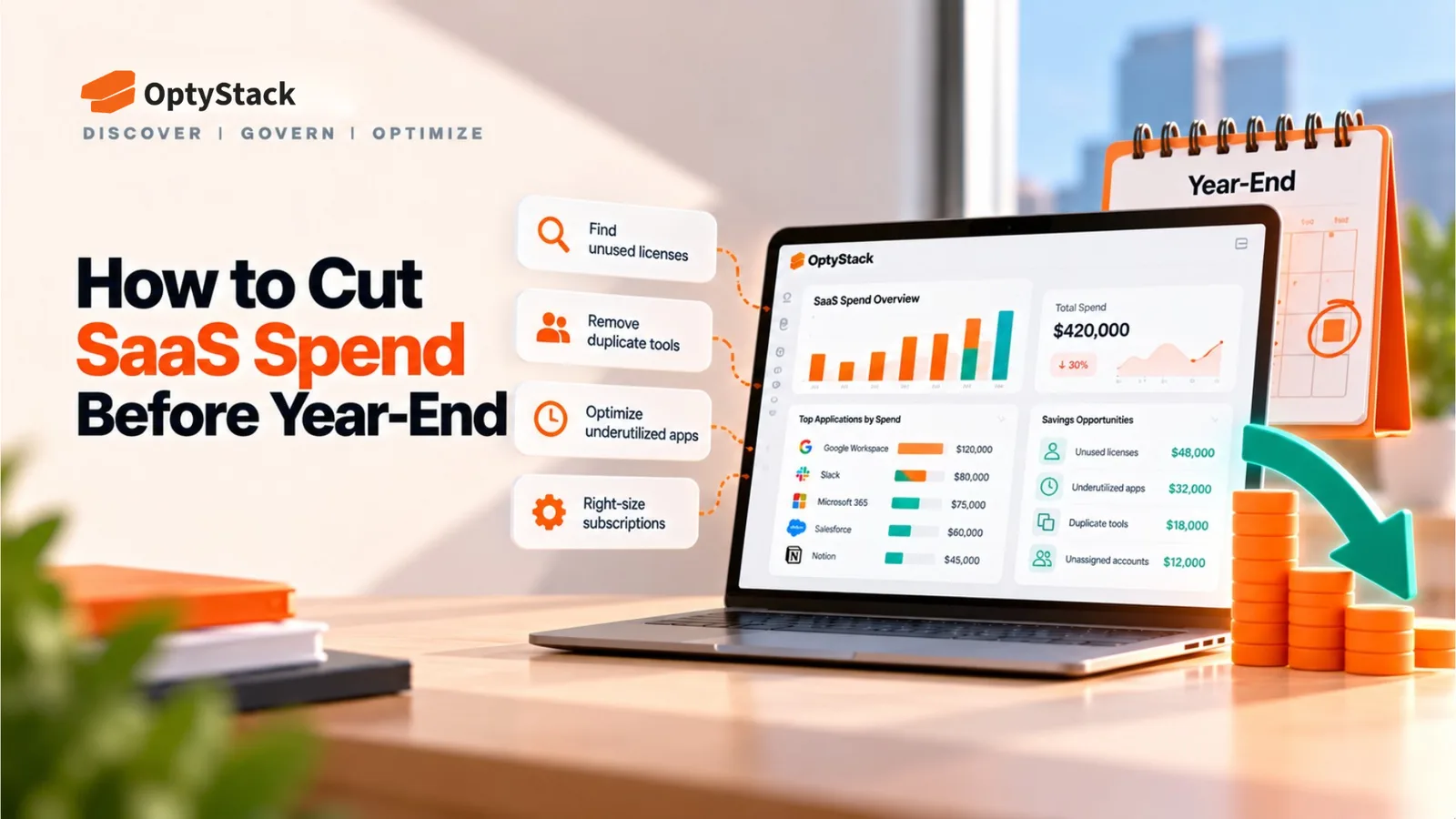
Reduce SaaS spending before year-end with a practical checklist for identifying unused licenses, consolidating overlapping tools, reviewing renewals, and auditing AI costs. Discover how OptyStack helps teams improve SaaS visibility, optimize licenses, and manage renewals—all in one platform. Start free with OptyStack.
As the year comes to a close, companies need to review software spending alongside other budget priorities. Unused licenses, overlapping applications, and automatic renewals can create avoidable costs across departments.
The challenge is reducing spending without disrupting essential workflows. A structured audit helps IT, finance, and procurement teams identify savings opportunities, prioritize action, and prepare for the next budget cycle.
Use this SaaS cost reduction checklist to reduce software subscription costs before year-end.
1. Build a Complete SaaS Inventory
Start by consolidating finance records, corporate card transactions, identity-provider data, expense reports, and existing software inventories. Ask department heads to identify applications purchased independently by their teams.
Record the application name, owner, department, license count, usage, subscription cost, renewal date, and business purpose.
Finance records may not reveal who uses an application, while identity providers may not capture every independently purchased tool. Cross-check these sources to identify unknown applications, missing owners, and incomplete spending information.
Checklist:
Consolidate software and finance records.
Identify applications missing from the inventory.
Assign owners to subscriptions.
Flag unknown costs and usage.
2. Identify Unused and Underused Licenses
Compare purchased seats with assigned users and recent activity. Investigate former employees' accounts, duplicate users, unassigned licenses, and premium subscriptions where basic access may be sufficient.
Confirm requirements with application owners before removing access. Some tools are used only during audits, quarterly reporting, or annual planning.
Also check when a seat reduction will affect billing. Reclaiming a license does not guarantee immediate savings if the contract only permits changes at renewal.
3. Find Overlapping Applications
Group applications by function, such as project management, collaboration, analytics, file storage, and AI assistants. Identify tools with overlapping capabilities and determine whether consolidation is practical.
Before replacing an application, consider migration costs, employee adoption, integrations, security, and lost functionality. The cheapest subscription is not always the lowest-cost option overall.
4. Review Contracts Before Renewal
Review subscriptions renewing before year-end and during the first quarter of the next year. Record renewal dates, cancellation deadlines, notice periods, current costs, and business owners.
Prioritize expensive contracts, price increases, unused seats, and overlapping applications. Contact vendors early with verified usage data and negotiate seat reductions or suitable plans where possible.
Checklist:
Identify contracts renewing within 90 days.
Confirm cancellation and notice deadlines.
Validate required license quantities.
Review price increases and plan options.
Assign an owner to each renewal.
Always verify contract terms and confirm agreed changes in writing.
5. Audit AI and Shadow IT Spending
Employees may use paid AI assistants, writing tools, meeting transcription software, or specialized applications outside the central purchasing process. These tools can create unexpected subscriptions or consumption-based charges.
Identify which tools are being used, who pays for them, and whether they meet business and security requirements. Review duplicate functionality, inactive paid seats, and consumption-based charges where reliable billing data is available.
Remember that discovering an AI application is not the same as measuring its token usage or enforcing spending limits. Confirm which capabilities your existing tools support before setting cost-control expectations.
6. Prioritize Savings Opportunities
Rank potential savings by financial impact, implementation effort, and business risk.
Opportunity | Recommended action |
|---|---|
Unused seats on an expensive subscription | Validate and reduce paid quantities |
Overlapping applications | Assess consolidation costs and benefits |
Underused premium licenses | Review downgrade options |
Unapproved AI subscriptions | Assess usage, value, and security |
Upcoming renewals | Negotiate before contractual deadlines |
Estimate savings using actual contract terms. Separate confirmed reductions from potential opportunities, account for implementation costs, and assign each action an owner and deadline.
7. Make Cost Control an Ongoing Process
A year-end audit is only a starting point. Establish monthly or quarterly reviews involving IT, finance, procurement, and department owners.
Review new applications and spending monthly, validate license allocation quarterly, and reassess contracts before renewal. After each approved change, check that the savings appear in billing records.
This creates a repeatable process for controlling software costs instead of relying on an annual cleanup.
How OptyStack Helps You Reduce SaaS Spend
Managing software costs manually often means switching between finance records, identity systems, usage reports, and contract spreadsheets. OptyStack brings SaaS discovery, usage insights, license optimization, and renewal tracking together in one platform.
Here is how these capabilities support the cost-reduction process:
Discover applications: Improve visibility into your SaaS landscape, including tools that may sit outside central purchasing.
Review usage and spending: Bring application, identity, usage, and spending signals together to investigate potential waste.
Optimize licenses: Identify opportunities to review inactive users, underused seats, and subscription tiers with application owners.
Track renewals: Keep upcoming contract deadlines visible so teams can review usage and negotiate before renewal.
Maintain oversight: Revisit applications and optimization opportunities throughout the year.
These capabilities connect discovery to action, helping teams identify where to investigate, decide which changes make business sense, and track follow-through. Actual savings depend on contract terms, data coverage, business requirements, and implementation.
Start Your SaaS Cost Reduction Plan
Download the OptyStack SaaS Audit Toolkit to organize your software inventory, complete a 25-point audit checklist, track renewals, and summarize findings. Replace the illustrative entries with your company's actual data before making purchasing decisions.
Ready to take control of your SaaS spend?
Discover your SaaS landscape, identify optimization opportunities, and build a more cost-effective software portfolio before year-end.