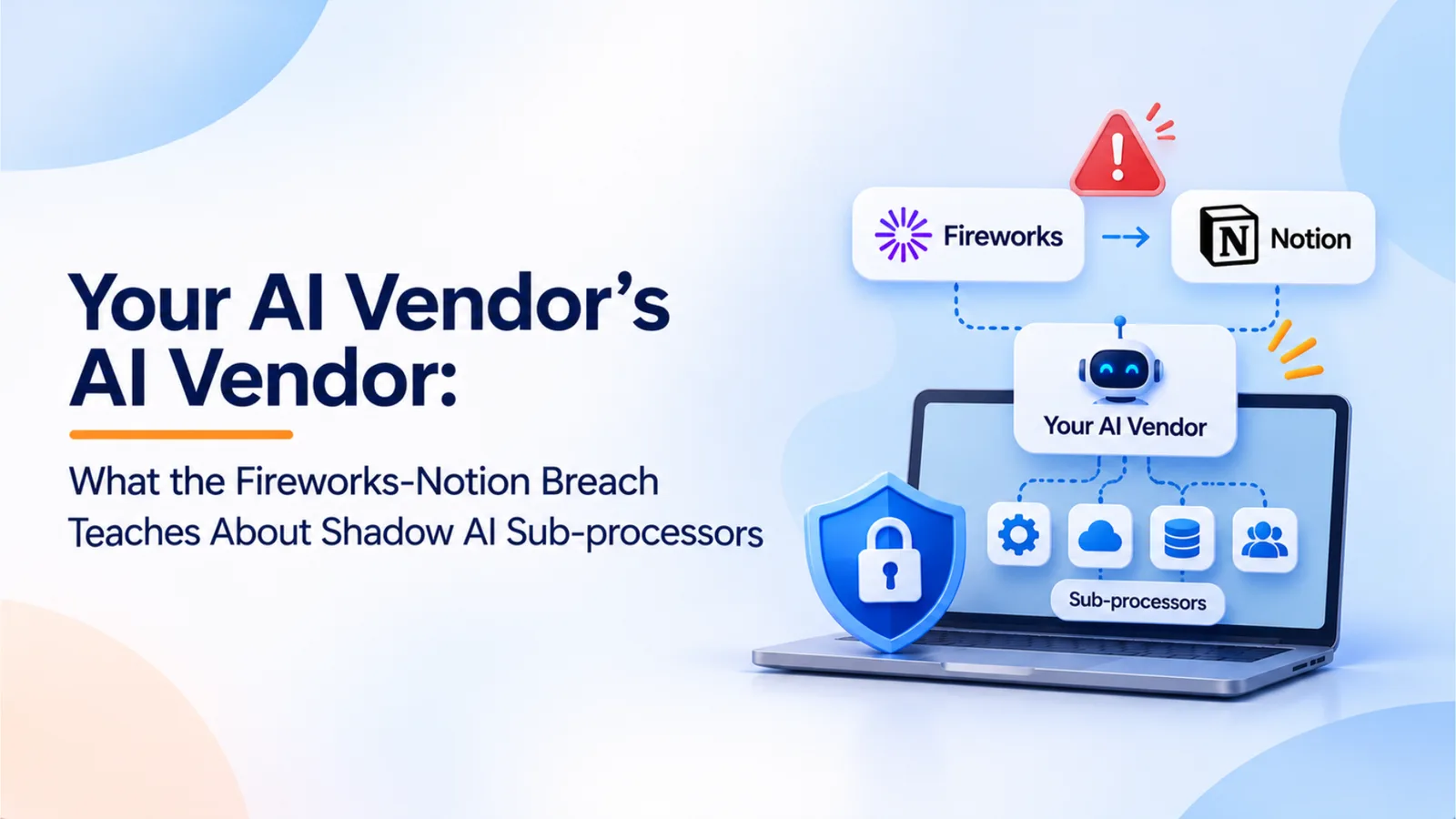
Your AI Vendor’s AI Vendor: What the Fireworks-Notion Breach Teaches About Shadow AI Sub-processors
Abhay Singh · November 13, 2026
A breach at AI infrastructure provider Fireworks exposed some Notion AI chat transcripts, and Notion turned off its Insights feature. Notion says its zero data retention promise did not cover that feature. This guide explains the lesson for AI vendor risk and gives a five-step sub-processor inventory.
You approved Notion. Did you approve the company that runs part of Notion’s AI features? In November 2026, a breach at AI infrastructure provider Fireworks exposed some Notion AI chat transcripts, and Notion turned off its Insights feature while it investigates. Notion has said its zero data retention commitment did not cover that feature. The vendor you signed was not the only company handling your data.
What Happened
Notion’s help center notice says Fireworks AI notified it on November 6, 2026 of a security incident affecting fewer than 1% of Notion workspaces. Notion used Fireworks for classification work behind Insights, a feature that helps administrators understand how members use AI, and as a general inference provider for open-weight models. Its analysis found that the exposed data included some AI chat transcripts used for Insights.
Most of the exposed transcripts were not labeled by author or workspace. Notion does not say the text was free of personal or sensitive information, and it advises affected customers to treat the data as exposed. Notion has disconnected from Fireworks, deleted the data stored there, disabled Insights, and contacted the owners of affected workspaces.
Fireworks’ security bulletin describes two incidents in October. The first, detected October 6, involved unauthorized use of internal credentials to read environment variables in evaluation jobs for a limited number of customer accounts. The second began when a third-party cloud provider hosting Fireworks’ research machines was compromised on October 23. The attacker used that access on October 24 to reach Fireworks’ development machines and run an unauthorized workload. Fireworks later expanded its disclosure to include account and billing information for affected customers.
The lesson concerns where data travels. Notion’s exposure did not come from a break into its own systems. It came through a vendor, and then through a provider behind that vendor.
The Blind Spot: Zero Data Retention Has a Scope
Most teams review the vendor whose name is on the contract. AI features make that review incomplete.
Notion’s own explanation shows the gap. Its help center says enterprise customers get a zero data retention commitment for API requests sent to third-party model vendors. Notion also offers features that must store requests and responses, including chat history and Insights. Notion says its zero data retention commitment was not intended to cover those features, because retaining the data is required to deliver them.
Notion also says Fireworks gave it a contractual zero data retention commitment for Notion’s use. During the investigation, Notion learned that data had been retained from the Fireworks endpoints it used. A contract promise was in place, and the data was retained anyway. A retention promise is only as strong as its scope and its enforcement.
Three questions follow for any AI vendor review:
Which workloads does zero data retention cover? Ask about each feature, including classification, evaluation, logging, and debugging.
Which features store data by design? Chat history, analytics, and insight features often need stored inputs and outputs.
Does the sub-processor’s contract match what the vendor promises? Ask for the sub-processor’s retention terms in writing, and ask how they are verified.
The result is fourth-party risk. You have a contract with the vendor, and your data flows to a company the vendor chose. Your review should cover both.
A Five-Step AI Sub-processor Inventory
1. List AI features turned on in sanctioned apps. Start with the tools you already approved. For each one, record which AI features are active, including features switched on by default in a product update. Check the admin console and the vendor’s AI settings page.
2. Map each feature’s sub-processors. For each active feature, record the sub-processors that handle its data: inference providers, classification services, logging providers, and the cloud hosts they use. Start with the vendor’s sub-processor list and data processing agreement. Mark which sub-processors are in the data path.
3. Check the retention scope for each feature. For each sub-processor in the data path, record whether the feature stores inputs and outputs, and whether a zero data retention commitment covers that workload. Get the scope in writing. If the feature stores data by design, treat it as a retention exception and review it separately.
4. Classify the data and set owners. Record what goes into each feature: public content, internal documents, customer records, source code, financial data, or personal data. Assign a business owner who approves its use and a technical owner who can answer questions about its data path.
5. Track changes. Vendors add AI features and sub-processors often, sometimes without a separate notice. Monitor sub-processor lists, product update notes, and AI settings on a fixed schedule. Review any new sub-processor before the feature is enabled for employees.
What the inventory looks like. A completed entry might read: Notion AI, Insights feature. Sub-processor: Fireworks AI (classification and inference). Data: AI chat transcripts, including internal documents. Retention: stored by design, outside the zero data retention commitment. Owner: workspace administrator and security lead. Status: disabled pending vendor investigation. One line per feature, with the same fields for every row, is enough to show where your exposure sits.
What to Do This Week
Check with workspace owners first. Notion’s advisory says that if neither you nor your workspace owner has heard from it, Notion has not identified your workspace as affected, and no action is needed right now. Confirm that with the owners of each Notion workspace you run, and ask your vendors whether your data was in scope. Do not assume you are safe, and do not assume you are affected, until you have checked.
Rotate secrets pasted into AI tools. Notion recommends rotating any password, API key, or other credential that anyone pasted into Notion AI during the affected period. Search your team’s AI chat history for keys and credentials, then rotate what you find.
Review AI features that are on by default. Check the settings of every sanctioned AI tool. Turn off features that analyze or classify company content unless a named owner has approved them.
Plan for India’s data protection law. India’s Digital Personal Data Protection Act, 2023 allows a data fiduciary to engage a processor only under a valid contract, and the fiduciary remains responsible for processing done on its behalf. Those obligations take effect on May 13, 2027. Use the time to update vendor contracts, including sub-processor lists, data categories, and notice of changes. Counsel should confirm how these obligations apply to your business and whether your contracts meet them.
Prepare for incident reporting. Under CERT-In’s 2022 Directions, reportable cyber incidents must be reported within six hours of noticing them. A vendor breach that exposes your data may start that clock. Name the person who decides whether an incident is reportable, and make sure they know which AI vendors and sub-processors you use. Counsel should confirm the classification, since it is a legal judgment.
Where OptyStack Fits
OptyStack’s shadow AI discovery covers the first step of this inventory for tools your employees use. It finds SaaS and AI tools using signals from spend, SSO, and browser activity, so AI apps appear in one list whether they were approved or not. It flags shadow AI, ranks each finding by risk, and maps each tool to the people who sign in to it, which gives each tool an owner to assign.
OptyStack does not currently map the sub-processors behind a vendor’s AI features, check retention scope, or track which AI settings are enabled inside each vendor product. Those steps need the vendor’s documentation and your own review. Use OptyStack to find the tools and owners, then work through the sub-processor and retention steps with them.
To start with the AI tools in your environment, you can start a free trial.