Shadow AI Discovery: Browser vs Endpoint vs SSO/OAuth vs Spend Data
Satvik Bansal · November 10, 2026
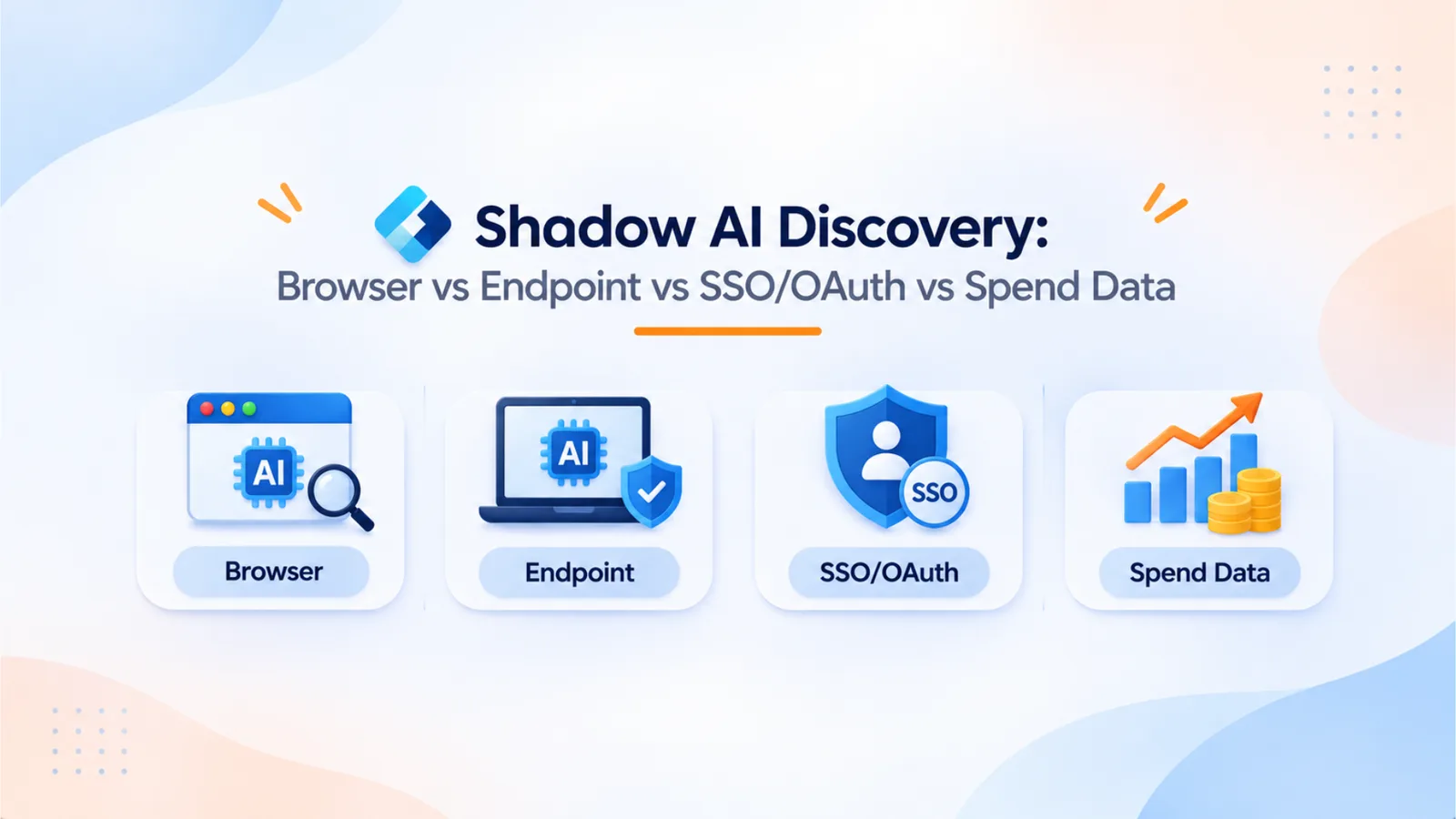
Shadow AI discovery tools start from different places: the browser, the endpoint, SSO and OAuth grants, or spend data. Each one catches something and misses something. This guide compares the four methods and shows how OptyStack combines SSO, OAuth, browser, and finance signals.
Security vendors are releasing shadow AI discovery tools, and each one starts from a different place. Okta’s Agent Discovery looks for OAuth consents and, through a browser plug-in, maps which AI tools connect to which business apps. Bitdefender’s GravityZone AI Visibility and Control scans endpoints for AI tools. Varonis Atlas inventories AI systems across cloud accounts, code repositories, and SaaS, including shadow AI used without approval.
Each starting point determines what a tool can see. The useful question is not which method is best. It is which blind spots each method leaves open. This guide compares the four main sources of signal: the browser, the endpoint, SSO and OAuth, and spend data.
Why Shadow AI Is Hard to Find
Shadow AI does not look like shadow IT. Many AI tools are used in a browser tab, a desktop app, a command-line tool, or a plug-in inside an approved product. A blocklist of domains misses tools embedded in approved software, and an application list misses tools that never asked for a corporate login.
The gap is common. Bitdefender’s September 2026 launch material cited research finding that 47% of organizations lack full visibility into how employees use AI. Separate Bitdefender research found that 45% of respondents named internal AI systems and large language models as their top security concern. The first figure describes the visibility gap. The second describes what worries security leaders, which is not the same thing.
Method 1: The Browser
Browser-based discovery watches web traffic, extensions, and, in some products, the connections a user makes from the browser.
What it catches: AI sites used in the browser, including personal accounts and free tiers. Okta’s Agent Discovery integrates with Google Chrome to capture real-time signals that map an AI tool, the “client app,” to the data source it reaches, the “resource app.” Okta’s ISPM release notes list shadow AI apps and OAuth grants found through its browser plug-in as generally available.
What it misses: API keys used by scripts, desktop applications that do not run in a browser, command-line tools, and connections granted from another device.
The risk it reveals: Extensions can be the threat. In March 2026, Microsoft Defender reported malicious Chromium extensions that posed as AI assistants, reached about 900,000 installs, and were active across more than 20,000 enterprise tenants. According to Microsoft’s post, the extensions logged visited URLs and captured AI chat snippets from ChatGPT and DeepSeek, then uploaded them to external servers. They worked in both Chrome and Edge, because Edge supports the same extension store. Browser discovery should therefore cover extensions, not only sites.
Method 2: The Endpoint
Endpoint discovery runs on the device and finds installed applications, local AI tools, and agents.
What it catches: Installed desktop apps, local models, coding agents, and MCP servers running on managed laptops. Bitdefender’s AI Visibility and Control uses its GravityZone agent to scan for AI tools and applications across environments, and it launched on September 23, 2026. Okta’s endpoint discovery, integrated with CrowdStrike Falcon, is in early access as of its September 2026 release notes.
What it misses: SaaS used only in a browser, personal devices without the agent installed, and tools that are paid for on a company card but never run on a managed device. It also cannot see OAuth grants approved from a phone.
The practical limit: Endpoint coverage depends on which devices have the agent. A tool that needs full device coverage will show a partial picture at first.
Method 3: SSO and OAuth
Identity-based discovery looks at which applications employees sign in to through the identity provider and which OAuth grants third-party tools hold.
What it catches: Federated apps and their users, OAuth consents to Google Workspace, Microsoft 365, and other suites, and agents acting through approved connections. Okta’s Agent Discovery detects OAuth consents and identifies agents on unsanctioned platforms and unvetted agent builders. It then reveals the scopes each agent has and alerts when an unknown agent has access to sensitive data.
What it misses: Apps with local passwords or magic links that bypass SSO, personal accounts used for work, API keys stored in code, and free tools that never requested an OAuth grant.
The risk it reveals: An OAuth grant can outlive the reason it was approved. An assistant approved for one project may keep reading files long after the project ends. Discovery needs to show who granted each connection and what it can access.
Method 4: Spend Data
Spend-based discovery looks at what the company pays for, through corporate cards, expense reports, invoices, and vendor records.
What it catches: Paid AI subscriptions, including those bought on personal cards and later expensed. It also shows renewal dates, seat counts, and usage-based charges.
What it misses: Free tiers, personal accounts used for work without reimbursement, and connections that cost nothing to set up.
Why it matters: Spend data answers the question finance asks: which AI tools are we paying for, and who owns them? It is also the source that turns discovery into a renewal decision.
Comparison at a Glance
Method | Catches best | Misses |
|---|---|---|
Browser | AI sites, extensions, personal web accounts, and browser-to-app connections | API keys, desktop apps, and grants made from other devices |
Endpoint | Installed and local AI tools, coding agents, and MCP servers | Browser-only SaaS, unmanaged devices, and phone-approved grants |
SSO and OAuth | Federated apps, OAuth consents, and agent connections | Local-password apps, API keys, and free tools |
Spend data | Paid tools, seats, and renewals | Free tiers and unexpensed personal accounts |
No single method covers all four. Varonis Atlas takes a data-centric route, starting from where sensitive data sits and which AI systems can reach it. Okta starts from identity and OAuth. Bitdefender starts from the endpoint. Each is useful. Each leaves some gaps.
How OptyStack Combines the Signals
OptyStack combines SSO and OAuth, browser, and spend signals into one inventory. It finds SaaS and AI tools from those sources, maps each tool to the people who sign in to it, and flags shadow AI with a risk ranking. Spend data connects each tool to its cost and renewal date, so finance and IT review the same list.
Each source fills another source’s gap. SSO shows approved and federated connections. Browser signals show AI tools used outside those connections. Spend shows paid tools that neither source would catch alone.
OptyStack does not describe endpoint scanning as one of its discovery sources. If your environment depends on device-level detection, pair OptyStack with an endpoint tool. The endpoint tool finds the agent on a laptop, and OptyStack shows which apps and accounts that agent connects to and who pays for them.
To see the combined picture in your environment, you can start a free trial or read more about OptyStack’s identity management features.