Least Privilege in SaaS: How to Control User Access
Aryan Malik · September 8, 2026
In 2024, stolen credentials gave attackers access to roughly 165 Snowflake customer environments, underscoring how access left unmanaged becomes a long-term risk. Here's how least privilege actually works in a SaaS environment, why it drifts so easily, and how to build a process that keeps it under control.
In 2024, attackers used stolen credentials to access roughly 165 Snowflake customer environments. Snowflake's investigation found that the credentials used in the attacks came from compromised accounts and, in some cases, were not protected by multi-factor authentication. The incident highlighted a broader problem with access that remains valid long after the original business need for it has changed.
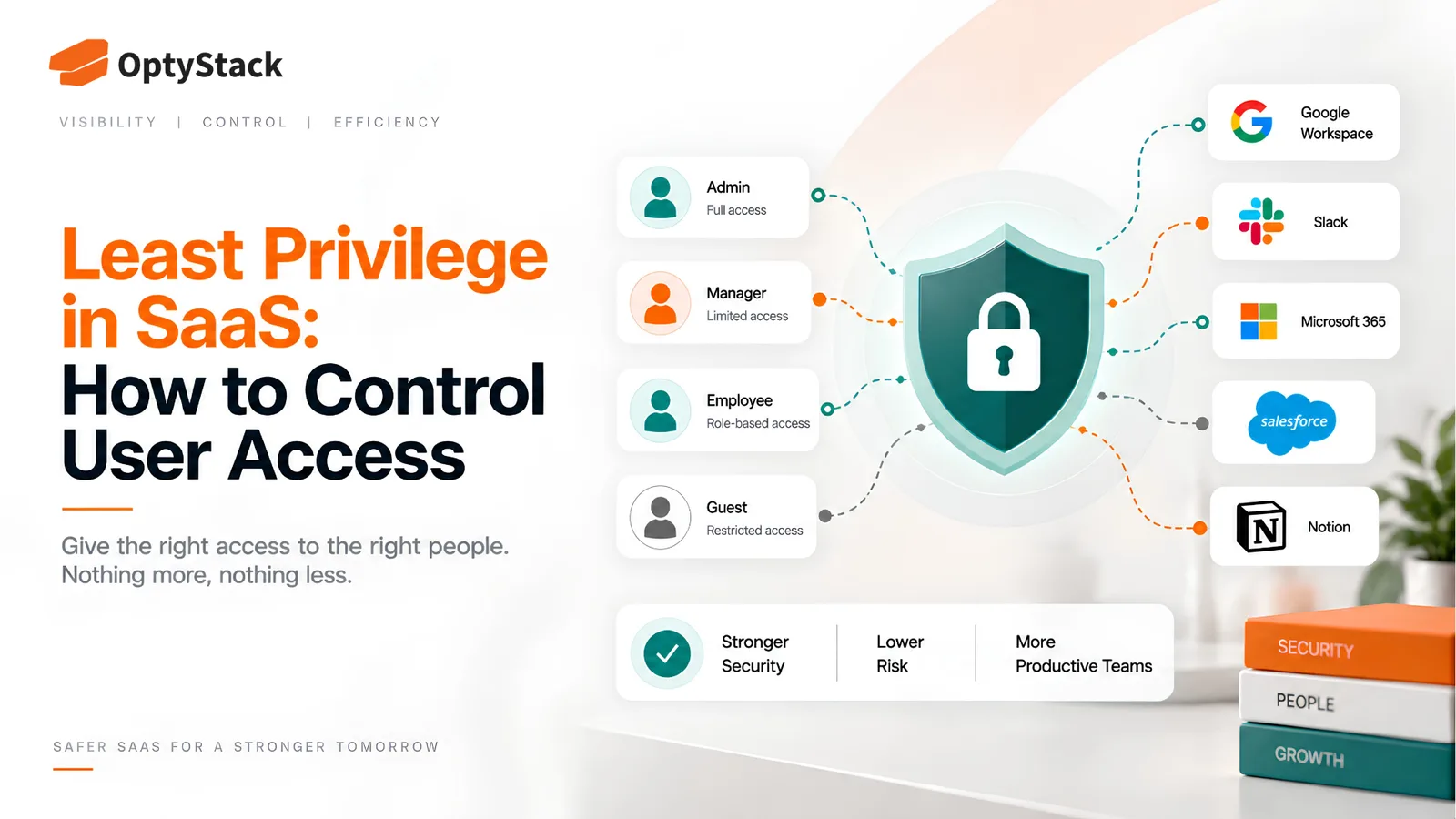
Least privilege is the principle designed to limit that exposure: give every user, account, and integration only the access required to perform its job, and remove or reduce that access when the need changes. It's a simple idea that's genuinely difficult to maintain in practice, which is exactly why over-permissioned access remains one of the most common security gaps across SaaS environments.
Why access accumulates beyond what anyone needs
Nobody sets out to create an over-permissioned account. Privilege creep builds gradually. An employee moves to a new team and picks up new tool access, but nobody circles back to remove what they no longer need from the old role. A contractor finishes a project and keeps access to systems they'll never touch again, because closing that access out was never anyone's specific job.
Temporary access tends to become permanent. A permission granted for a specific project or a short-term need often outlives the reason it was granted, since removing access requires someone to notice and act, while leaving it in place requires nothing at all.
Convenience quietly wins over precision. Assigning someone a broad, existing role is faster than defining a narrower one specific to what they actually need, especially under time pressure. Over time, that shortcut compounds across every new hire and every role change.
Without regular review, access tends to accumulate rather than get removed. There's no natural mechanism that removes unnecessary permissions on its own, so the default state, absent deliberate effort, is access that only ever grows.
What least privilege actually looks like day to day
Least privilege is the principle that every user, service account, and integration should have only the minimum permissions required to perform its intended function, with unnecessary access removed or reduced when the business need changes. In practice, that breaks down into a few concrete habits.
Map access to what someone actually does, not their job title. A job title is a loose proxy for the specific tools and data a role needs. Two people with the same title on paper can genuinely need different access depending on what they actually work on, and mapping access to real tasks rather than titles keeps permissions tighter and more accurate.
Separate standard accounts from admin-level access. Someone who occasionally needs administrative functions doesn't need to operate with admin-level privileges as their default, everyday account. Using a separate, elevated account only when admin tasks are actually required limits how much damage a single compromised login can do.
Replace standing access with time-bounded elevation where possible. Rather than granting permanent elevated permissions for an occasional need, granting temporary access that expires automatically closes the gap that a forgotten, never-revoked permission would otherwise leave open.
Treat service accounts and integrations with the same discipline as human users. Non-human accounts, API keys, and connected integrations often run unattended, which means excess privilege on one of these can persist unnoticed for a long time after the task it was created for has ended.
Building this into an ongoing practice
Start with the highest-risk systems, not every tool at once. Financial platforms, systems holding customer data, and admin-level access to your identity provider carry the most consequence if over-permissioned, so tightening access there first delivers the most meaningful risk reduction for the effort involved.
Review access on a real schedule, not only when someone leaves. A departure triggers an obvious access review. A role change should trigger the same kind of review, since access accumulated in a previous role is exactly the pattern that goes unnoticed for months without a deliberate check.
Decide what happens when a review finds excess access, before you're in the middle of one. The response doesn't have to be immediate revocation in every case. Some access genuinely still serves a purpose that wasn't obvious at first glance, some should be scoped down rather than removed entirely, and some should be revoked outright. What matters is that the decision gets made deliberately and documented, rather than the excess access simply persisting because removing it felt disruptive in the moment.
Automate what you can, since manual enforcement doesn't scale. Maintaining least privilege by hand across dozens of applications, tracking every role change and every temporary grant manually, is realistic for a small team and increasingly unrealistic as the number of applications grows.
Extend the same discipline to tools adopted outside a formal process. Shadow IT tools never go through any access-provisioning process at all, which means whatever access exists within them was likely set up without any least-privilege consideration in the first place.
Where OptyStack fits
Knowing who has access to what, and whether that access still matches what someone's actual role requires, is difficult to track manually across a growing SaaS estate, especially once tools adopted outside a formal process are added to the picture.
OptyStack surfaces access and usage data across your SaaS estate, including shadow IT tools that were never centrally provisioned, so over-permissioned and unused access is visible in one place instead of requiring a manual check across separate admin panels.
It's free to start and doesn't require a credit card.
See who has access to what across your SaaS stack. Start free with OptyStack.