The Complete SaaS Offboarding Checklist
Aryan Malik · September 3, 2026
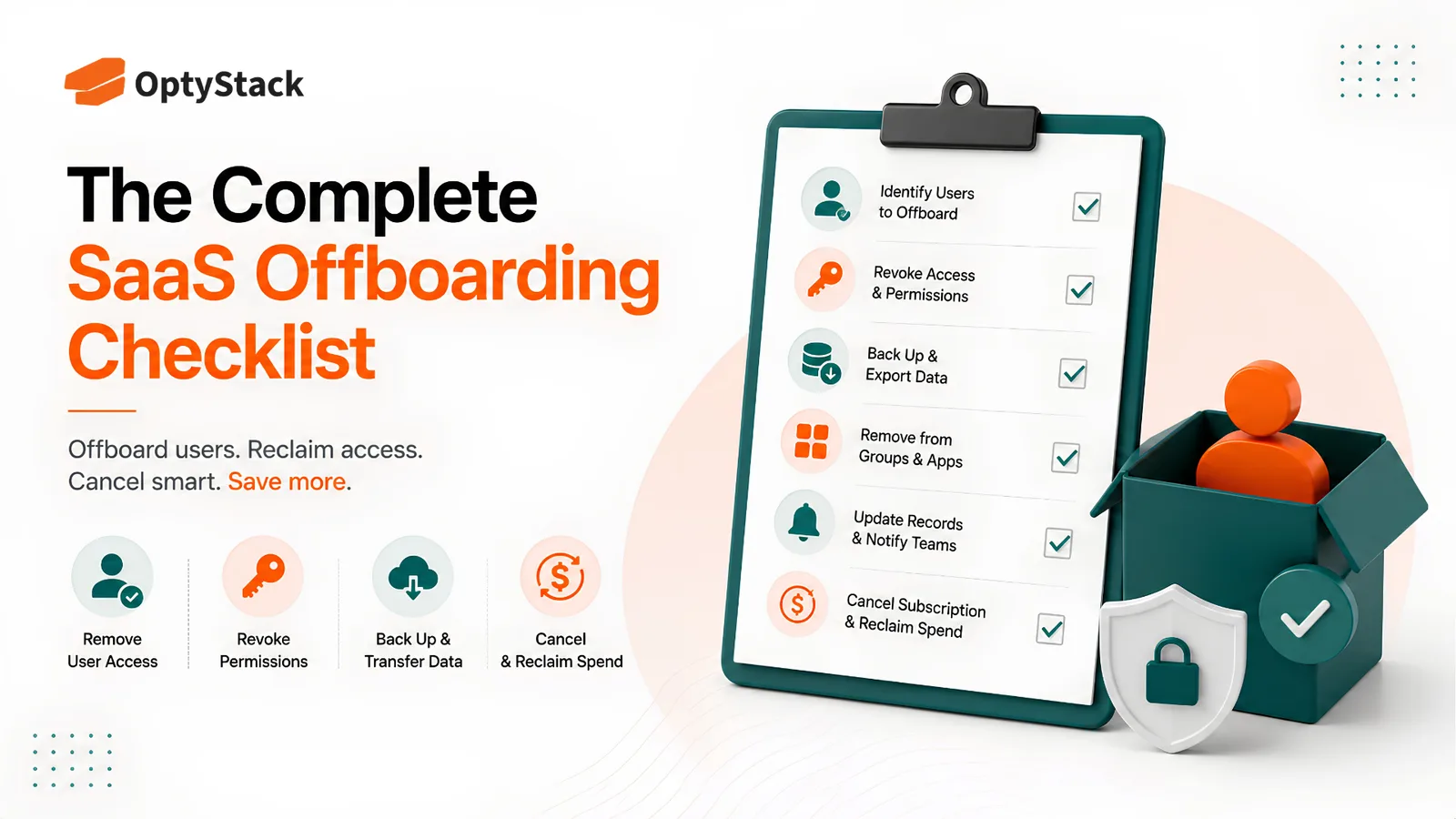
Most offboarding checklists cover email, laptop, and badge, then stop, leaving dozens of SaaS accounts still open. Here's a complete checklist covering the access, licenses, and shadow IT gaps a standard offboarding process usually misses.
83% of former employees say they still had access to at least one account from a previous employer after leaving, according to Beyond Identity's research surveying over 1,100 workers. More than half admitted to using that access to do something the company wouldn't have approved of.
That gap between someone's last day and their last active login is where a huge share of SaaS security risk actually lives. Most offboarding checklists cover email, laptop, and badge, and stop there. The tools an employee touched over their time at the company, especially anything they signed up for individually rather than through a central IT process, rarely make the list at all.
What a complete offboarding process actually covers
Offboarding, done properly, means removing every bit of access a departing employee had, across every tool they ever touched, not just the ones IT remembers assigning. That includes core platforms provisioned through a formal process, department-specific tools a manager added directly, shared logins handed over by a teammate, and third-party apps connected through Google or Microsoft OAuth that were never wired into any central system at all.
A checklist covering only the first category looks complete and isn't. The tools missing from it are usually the ones nobody's watching.
Why offboarding breaks down so often
Nobody has a full list of what a person could access. Over the course of a job, an employee accumulates access to dozens of tools through a mix of official provisioning, manager-granted access, and self-service signups nobody logged anywhere. Deprovisioning can only cover what's on record, and what's on record is rarely the full picture.
Standard checklists cover the obvious tools and stop there. Email, laptop, badge. The SaaS tools someone signed up for individually, the shared logins they were handed, the OAuth connections they made through their company email, none of that reliably shows up on a standard offboarding form.
Departures don't always come with warning. A planned resignation gives IT time to plan a phased access reduction. A sudden termination doesn't, and it's exactly the departures with the least warning that tend to carry the most risk.
Access reviews rarely happen unless someone leaves. Even for employees still with the company, access tends to only grow. Someone switches teams and keeps every tool from their old role because nobody's job is to go back and remove what's no longer needed.
What incomplete offboarding actually costs
Verizon's Data Breach Investigations Report identifies credential abuse as a factor in a meaningful share of breaches, a category that concentrates heavily around access that was never properly revoked. A Nudge Security survey of IT specialists found that more than 70% of organizations had been affected by ineffective offboarding, whether through a security incident, business disruption, or straightforward wasted spend on licenses nobody remembered to cancel.
The risk isn't rare or hypothetical. It's the predictable result of a process most companies still handle manually, one departure at a time, with a checklist that was never built to cover every tool an employee might have touched.
The complete offboarding checklist
Build a complete access map before someone leaves, not after. Cross-reference identity logs, SaaS admin panels, and OAuth connections to build a real picture of everything a departing employee can reach, rather than relying on whatever IT happens to remember they were given.
Disable single sign-on immediately. This is the single highest-leverage step, since it cuts off access to everything connected through your identity provider in one action. It's fast, but it's not the whole job, tools outside your SSO setup won't be touched by this step at all.
Work through every tool on the access map individually. Confirm each one is actually revoked rather than assuming SSO deactivation handled the whole picture.
Check for shared or delegated logins. Some tools get accessed through a team login rather than an individual account. If a departing employee knew that password, rotating it is part of offboarding too, even though it won't appear in any individual account list.
Audit and revoke third-party OAuth connections. Apps connected through "Sign in with Google" or Microsoft often retain standing access that outlives the employee's actual need for it. Review what's connected under their account specifically and revoke it.
Transfer ownership of files, workflows, and automations tied to their account. A departing employee's shared drive folder, a scheduled report, or an automation script can silently break or become orphaned if ownership isn't reassigned before the account closes.
Reclaim the license, not just the access. Revoking someone's ability to log in doesn't automatically stop the subscription from billing. Confirm the seat is actually freed up or reassigned, not just deactivated.
Check for tools bought outside central procurement. Corporate card statements and expense reports sometimes reveal a subscription the employee purchased individually that never went through any sanctioned process, and these are the accounts most likely to be missed entirely.
Tie deprovisioning to the HR system directly, not a separate manual step. The moment a termination is entered into HR should be the moment access revocation starts, not a ticket sitting in a queue waiting for someone to notice.
Review access on role changes too, not just exits. An employee switching teams should trigger the same kind of review as someone leaving, since old access that's never revisited accumulates the same risk over time, just more slowly.
Keep a record of what was revoked and when. Beyond the security value, this is exactly the kind of evidence auditors ask for under frameworks like SOC 2, and it's far easier to produce from a running log than to reconstruct by hand months later.
Where OptyStack fits
Building a complete picture of what someone has access to, across every tool they've touched over their entire time at a company, is difficult to do by hand, which is why most offboarding checklists only ever cover the obvious few.
OptyStack helps surface the full picture by mapping identity and usage data across your SaaS estate, so departing employees' access and licenses are visible in one place instead of scattered across a dozen admin panels nobody has time to check individually.
It's free to start and doesn't require a credit card.
See exactly who has access to what across your SaaS stack. Start free with OptyStack.