SaaS Inventory Template: What to Track and Why
Aryan Malik · September 22, 2026
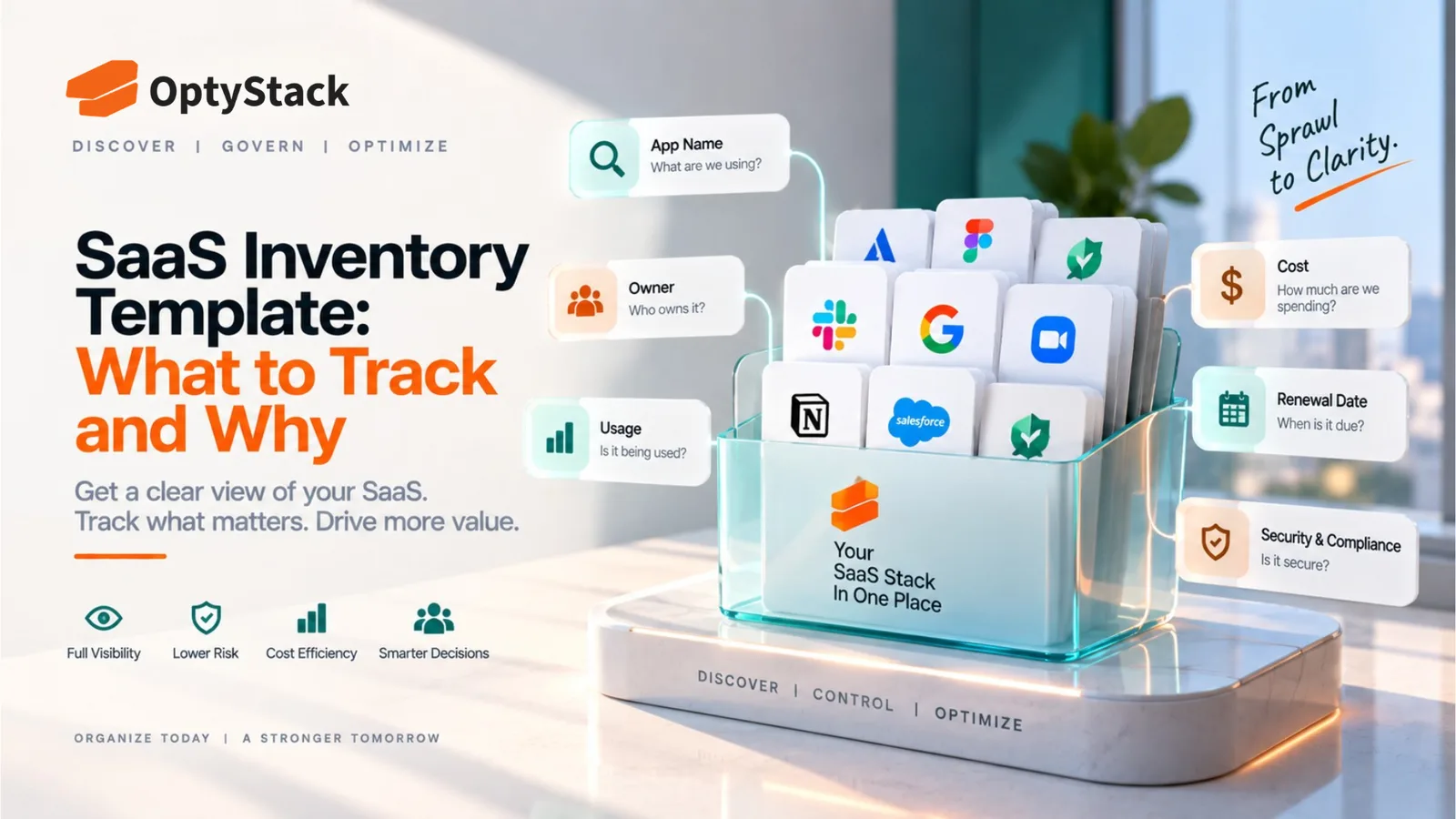
A SaaS inventory is only as useful as the fields it tracks and the reasoning behind them. Here's what actually belongs in an inventory template, why each field earns its place, and the common mistakes that turn a good template into one nobody keeps updated.
A SaaS inventory is the single document everything else in software management depends on. Cost optimization, security review, access control, and renewal tracking all assume you already know what applications exist. Skip building this properly and every downstream effort inherits the same blind spots.
Most inventories fail not because nobody built one, but because the fields chosen don't actually support the decisions the inventory is supposed to enable. Here's what to track, and the specific reason each field earns its place.
The core fields every inventory needs
Application name and vendor. The obvious starting point, but worth being specific about: track the vendor's legal entity name alongside the product name, since contracts, security assessments, and renewal notices are all tied to the vendor entity, not the product's marketing name.
Business owner, as a named individual. Not a department, not a team, a specific person. An inventory field that says "Marketing" as the owner effectively has no owner, since no single person is accountable for answering questions about that application when they come up. This single field does more to keep an inventory useful over time than almost anything else on the list.
Primary business purpose. A short, specific description of what problem the tool solves and for whom. Without this, it becomes difficult months later to judge whether a renewal still makes sense, or whether the tool overlaps with something else in the stack solving the same problem under a different name.
Department or team. Useful for spotting patterns, whether waste concentrates in a specific part of the company, and for routing questions to the right people when a review surfaces something that needs a decision.
Annual cost, including any usage-based or overage charges. A flat subscription number can meaningfully understate the real cost of a tool with consumption-based pricing. Tracking the full picture, not just the base plan price, is what makes the inventory useful for actual budget planning rather than a rough approximation of it.
Licensed seats versus actively used seats. This is arguably the single most valuable pairing of fields in the entire inventory, since the gap between these two numbers is where most SaaS waste hides. A tool showing 50 licensed seats and 22 active users is telling you something a cost figure alone never would.
Contract end date and notice period. Not just the date the contract expires, but the specific number of days' notice required to cancel or renegotiate before it auto-renews. These two fields together let you calculate the actual deadline that matters, which is earlier than the contract's end date in almost every case.
Discovery method. How this application entered the inventory in the first place: through a formal purchase request, an expense record, an identity log, or a direct report from a team. This field matters because it tells you something about how much oversight the tool has had, a formally purchased tool has generally been through some review; one discovered through an expense statement likely hasn't.
Data sensitivity level. A simple classification, low, medium, or high, based on what kind of data the application touches. This single field should drive how much scrutiny everything else about the tool receives, since a low-risk internal tool and one holding customer financial data don't need the same depth of ongoing review.
Last reviewed date. When someone last confirmed this entry was still accurate. An inventory with no record of when it was last checked gives false confidence, since a beautifully detailed entry from eighteen months ago may no longer reflect reality at all.
Fields worth adding as the inventory matures
Access level or permission scope. For applications with meaningful access to company systems, tracking whether that access is read-only, read-write, or admin-level adds a security dimension the basic inventory doesn't capture on its own.
Security certification status. Whether the vendor holds a current SOC 2, ISO 27001, or comparable certification, and when it was last verified. This becomes especially useful when the inventory needs to double as evidence for an internal security review or an external audit.
Integration dependencies. What other systems this application connects to. A tool that looks minor on its own can turn out to be a dependency for several other workflows, which matters when evaluating whether to consolidate or remove it.
Renewal decision status. A simple field tracking where a contract stands in its review cycle: not yet started, under review, decision made. This turns the inventory from a static reference document into something that actively tracks work in progress.
Why the "why" behind each field actually matters
An inventory built by copying a generic template without understanding the reasoning behind each field tends to accumulate fields that look thorough but don't actually get used. The test worth applying to every field: what specific decision does this information support? Cost fields support budget and negotiation decisions. Owner fields support accountability. Usage fields support right-sizing and cancellation decisions. A field that doesn't map to a decision someone will actually make is a field that adds maintenance burden without adding value.
Common mistakes in building the template
Making it too comprehensive to actually maintain. An inventory with forty fields per application looks impressive and gets updated by nobody. Starting with the core fields above and adding more only once the basics are consistently current produces a document people actually keep accurate.
Building it once and treating it as finished. An inventory is only as good as its last update. Without a defined process for adding new applications and refreshing existing entries, the document accurately reflects the company's software estate for approximately as long as it takes for the next new tool to get adopted.
Splitting ownership of the inventory itself across multiple people or teams. Just like individual applications need a named owner, the inventory as a whole needs one person responsible for its accuracy, or the same drift that happens to individual entries happens to the document as a whole.
Where OptyStack fits
Manually populating and maintaining every field described here, cost, usage, discovery method, ownership, security status, across a growing number of applications is realistic for a short time and difficult to sustain as the stack grows.
OptyStack pulls application, spend, usage, and identity data together automatically across your SaaS estate, so the fields that matter most to this template stay current without depending on someone manually updating a spreadsheet every time something changes.
It's free to start and doesn't require a credit card.
See your inventory build itself. Start free with OptyStack.